
Boundary value analysis
Use boundary value analysis to check values inside and outside a numeric range. Work through an integer age range of 18–65.
Generate boundary values →- No account or installation
- Copy or download results
- Documents processed in your browser
File sizes and generation counts have limits. Check the limits shown in each tool.
Worked example · fictional specification
Check a registration age of 18–65
Accept integer ages from 18 through 65 inclusive. Reject registration outside the range. This example does not specify error messages or status codes.
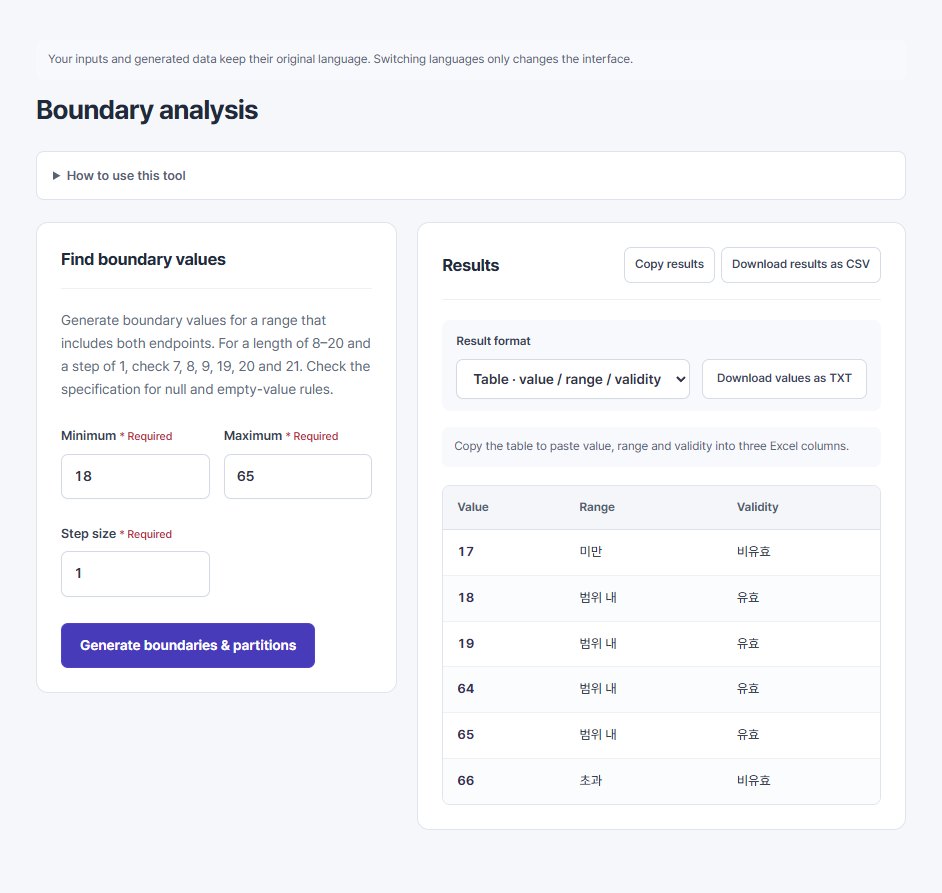
1. Enter the specification
min=18
max=65
step=1
2. Read the result
Start with acceptance of 18 and 65. Accepting 17 or 66 indicates a range-check defect. The values 19 and 64 are valid inputs immediately inside the boundaries.
| Value | Range | Validity | Expected outcome |
|---|---|---|---|
| 17 | Below | Invalid | Reject registration |
| 18 | In range | Valid | Accept registration |
| 19 | In range | Valid | Accept registration |
| 64 | In range | Valid | Accept registration |
| 65 | In range | Valid | Accept registration |
| 66 | Above | Invalid | Reject registration |
View the actual tool screen
3. Prepare the execution cases
Check 18.5, empty input, null and strings separately. A numeric range table does not test the integer-only rule. Validity describes the configured range, not an observed service response.
The workbook includes input assumptions, cases and blank actual-result fields. It is not a record of successful service tests. Workbook contents are in Korean.
Written by QA Workbench · checked 8 October 2026. Boundary values, feasible pair coverage and the six template fields are compared against the current tools; execution against a real service is outside this example.